
Posted by Admin
March 5, 2026
AI Song Mashup Generator – Mix Songs Online

Great mashups feel weird in a good way. Two songs you are already familiar with suddenly click into one memory. Short videos have been a major source of music discovery these days, so you can have a 20-second hook cradle an entire mashup idea. That is why people are looking for an AI song mashup generator. They want fast, neat timing and something that they have to share.
A good AI mashup maker should be more like an AI music mixer that allows you to mix songs together online like a practical DJ mashup generator, even if you are just learning. Plenty of creators start with a free AI mashup tool, then upgrade when they need to do longer edits and studio exports.
Recommended Read: Meaningful Funeral Songs for Dad
What You Get In Sonygram
- Auto BPM and key match
- Stem separation preview
- Timeline editor for drops and transitions
- Free mashups up to 2 minutes
- Premium for longer mixes
What Is an AI Mashup Generator?
An AI song mashup generator takes two or more songs that have been released and creates a single playable mashup song that remains on beat and remains in key. Then it takes the technical glue, tempo alignment, key check and separation of vocals and drums.
Mashups expanded within the 2000s of online sharing, and later became a pop format from recap mashups. Early mashups were on the blogs and forums where DJs were posting bootlegs and edits. Recap mashups made the style a popular way to remember a whole season of hits. Today, short-form clips push mashups once again, since one clean hook blend can travel fast.
Mashups started as hands-on edits. DJs cut tape, then moved to early DJ software. Blog era bootlegs spread fast when people shared MP3 edits. Next came recap mixes that stitched many hooks into one track and made mashups feel like a time capsule. Festival and club edits pushed bigger drops and cleaner blends. Short video culture made hook swaps popular again. One tight 15-second blend can travel far, so creators test more pairs and post faster.
Mashups vs Remixes – What’s the Difference?
Mashup refers to two or more complete songs being combined into some kind of new structure. Arrangement is the primary skill, because the songs were not written for each other.
Remix means that one original track gets reworked. It may change the drums, alter the groove, or construct the songs differently, while retaining the same song identity. That is why an AI remix generator suits "one song, new style" and an AI mashup maker suits "two songs, one moment".
Quick difference
- Mashup: Vocal of Song A but instrumental of Song B, then recreated like verse to chorus.
- Remix: Same song identity is there, but drums, bass, tempo or mood change.
Creative intent
- Mashup: Surprising and contrasting.
- Remix: A new version of one track.
Why Use AI for Mashups?
Manual mashups can be incredibly sounding. First drafts take time, though. Beat matching, key checks, vocal isolation, then minuscule timing fixes on and on. An AI music mixer allows you to mix songs together in a web-based setting and avoid the sluggish drift fixing phase.
AI serves to speed the rough draft approach process, which involves running beat tracking (onset strength, tempo estimation, and followed by beat placement), key estimation (HPCP-style pitch class patterns), and stem separation in one flow. Some of the workflows complete BPM and key checks in seconds, thus more pairs get tested quickly. Ten sets of pairs initially in session, one winner saved, then polish after.
Blend songs with AI, take the best idea, then refine.
Recommended Read: Prompt Engineering for AI Music: Genre Templates
How Our Mashup Generator Works
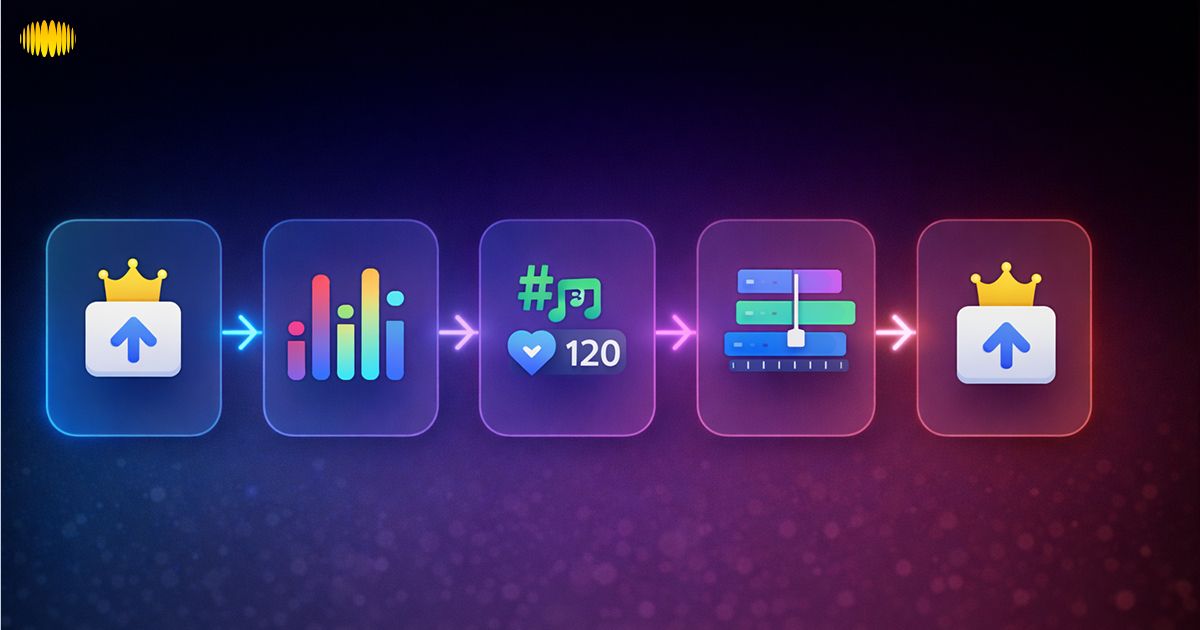
Sonygram's AI song mashup generator is based on three actions: split, sync, and arrange.
Step-by-Step Guide
- The most crucial stage of this DJ mashup generator workflow is uploading two songs to the timeline.
- Split vocals, drums, bass and instruments with music stem separation.
- Auto-matching BPM and musical key to track and align tracks on a beat grid.
- Drag and drop areas on a timeline to make the blend.
- Create and preview the mashup.
What Happens Behind the Scenes
- Beat tracking locates the beat grid.
- Key detection checks harmony so the blend feels smooth.
- Time stretching matches tempo without changing pitch too much.
A simple cross-fade tool is used to mix songs end to end. An automatic song mixer AI can do more because stems and grids allow for actual swaps to happen.
Editing & Fine-Tuning
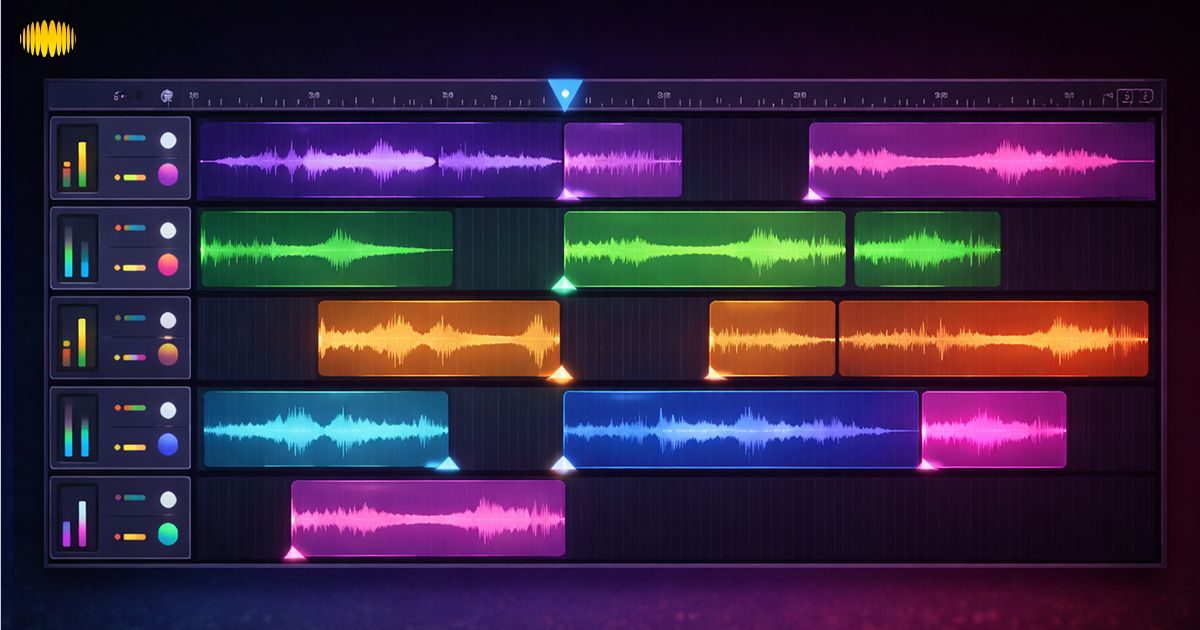
Crossfades conceal seams, but timing is everything. If you are on busy drums, use short transitions, whereas pads and chords need long fades. Volume balancing helps in keeping vocals stable and thus, hooks don't jump and pop out loud. EQ is to assist with fast, cut a little low end on one track, allowing kicks not fight. Animate light effects such as reverb on a vocal tail, delay on a final word or a filter sweep before a drop. Vocal layering really works best if you slice on phrases, and you have to push clean breaths, and you have to not have two loud consonants at a time.
Export & Share
MP3 is suitable for quick checks as well as sharing fast. Finally, upload and clean the sound WAV. WAV also plays nicely inside a DAW if you are able to treat it further later. Export settings matter. Bitrate shifts MP3 quality. Sample rate matters for WAV.
Select the highest levels for the track when it is close to final. The lighter settings are better to use during testing.
Sharing can stay simple. Download the file or make a copy link if the tool provides one, or drop it in your Shorts or Reels file folders. Short clips win on social media. Build a hook cut first that is in the range of 15-30 seconds in length. The longer version comes after the blend, as it lands well.
Recommended Read: Best DAW for a Beginner
Use Cases & Inspiration

A good AI song mashup generator is an idea lab for DJs, creators, and anyone who wants a fast “does this work?” test.
DJ Sets & Party Mixes
Mashups enable the risky transitions to be safer. Try genre blending, such as pop vocal to house drums, rap verse to disco groove, etc. Dance floor mashups work on the condition that the kick should remain constant and the vocal should come right on the umph. A known vocal may hold the room, and the beat changes underneath.
Social Media & Viral Mashups
Online remix culture educated listeners to enjoy the rapid collision of genres. Trending sound blends work if you are imitating the timing that people are already doing, then twist the music. Mashup challenges help as well - same hook, 3 genres, one week. Keep it short, hook first, drop second and then stop before having to become repetitious. That same appetite makes short-form edits today.
Personal Gifts & Storytelling
Wedding and anniversary mashups work because structure is more important than gear. Build a themed story in three: intro, peak and final calm. A different song can be used in each part by using one shared song memory. One soundtrack can hold years of songs together.
Recommended Read: How AI Music Goes Viral on TikTok (Case Study)
AI vs Manual Mashup Creation
Manual work provides total control. AI removes friction. Most creators wind up mixing it together.
Technical Challenges of Manual Mixing
Beat matching takes practice, and drive still happens. Key clashes can sound harsh. Timing edits require lots of fine-forced cuts. Good results also require monitoring, patience, and time. Serious manual mixing often requires some DJ software, some form of controller, some nice monitoring headphones and some time to learn it.
How AI Handles BPM & Key Matching
Beat trackers track the strength of the onset, then estimate the tempo based on it, and then place beats consistent with the tempo. Key estimation can be computed from the HPCP pitch-class profile compared to the key-pattern. Tempo alignment involves the use of time stretching in such a way that duration changes are accomplished without changing pitch. Stem isolation reduces masking to keep blends clearer.
Phase describes the position inside a wave cycle, and misalignment can thin out a blend. Phase correction attempts to coordinate on low-end kicks and bass. When the alignment is incorrect, the mix sounds skinny, and a little alteration of the phase should return the weight of the mix. One guide finds in tests that BPM detection missed by around 1 BPM on consistent speed songs, and above 85 to 95% accuracy in the detection of key on common styles, and lower for the detection of key on songs changing key or speed often.
When to Add Human Creativity
AI can align grids. It cannot decide drama. Save that work for yourself, tension building, genre switches, lyric timing and "one bar late" - making a drop worthy.
Legal & Copyright Considerations for Mashups
Mashups tend to re-use compositions and recordings that are copyrighted, so rights and licensing are important.
Fair Use & Licensing
Mashups often use copyrighted recordings and compositions. Permission or a license may be needed, mainly for public uploads or paid work. Rules vary by region and by platform. Treat this as general guidance, not legal advice. Safer route comes through cleared stems, royalty-free packs, or written permission before a release.
Tips for Sharing Mashups Safely
Safer sharing habits
- Non-commercial sharing can be lower risk, yet it still can get flagged.
- Commercial use usually needs permission or a license.
- Give attribution when you share clips.
- Look for licensing options like cleared stems, sample packs, or written permissions.
- Royalty-free stems help a lot when you are going to monetise.
Recommended Read: How to Monetise AI-Generated Music in 2026
Advanced Tips & Tricks
Layering Vocals & Instrumentals
Acapella + instrumental - Cleanest mashup base you can use when you want to be clear as far as vocal is concerned. Use a one-beat mute for drop reset. If a vocal feels buried, then turn competing mids down rather than the vocal up a lot.
Using AI-Generated Stems
Source separation tools such as Spleeter demonstrate that mixed songs can be separated to provide usable stems, hence why mashups can be created that much faster these days. Use stems to construct custom layers, new bass under a familiar chorus, or new drums under a familiar hook. Genre mixes make it easier to combine; each time, you just replace one layer at a time. Experimental mashups are operating with a single anchor, the same drums, the same bass, and the same vocal.
AI Song Mashup Generator: Song Mixing Tips for a Mashup Creator Online
- “Pop vocal on house drums, switch on the chorus.”
- “R&B hook on trap hats, keep only 8 bars.”
- “Rock vocal on drum and bass, drop the hook twice.”
- “Afrobeat drums under a synth pop chorus, filter into the drop.”
- “Lo-fi beat under a bright pop verse, chorus hits clean.”
- “Keep bass constant, rotate vocals every 8 bars.”
- “Two vocals, one instrumental, alternate line by line.”
- “Instrumental swap only, keep the same vocal across both beats.”
Recommended Read: AI Song Lyrics Generator (2026)
Try Sonygram’s AI Mashup Generator
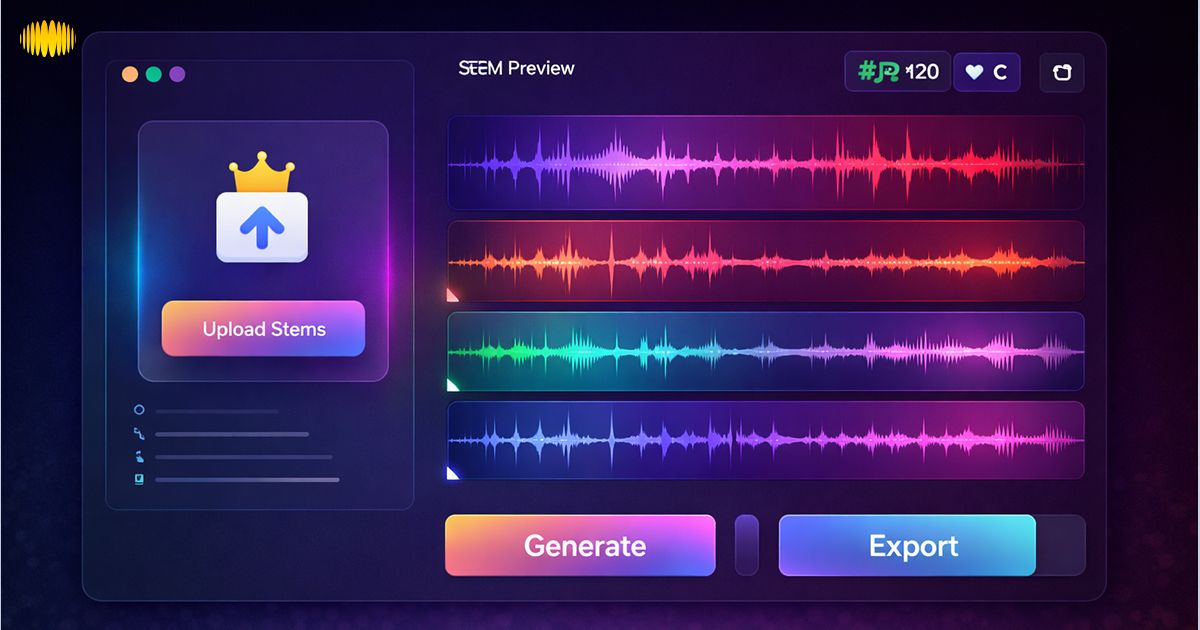
Sonygram has a free plan with paid upselling on its pricing snippet, and places user-ownership language features in site footers. The mashup tool follows the same concept: “try short: go deeper.”
Interactive Demo
- Upload songs or pick a track
- Preview stems vocals, drums, and instruments
- Auto readout BPM and key, plus a lock toggle
- Drag blocks on the timeline to swap sections
- Crossfade handles and volume per block
Audio Embed Suggestions
Audio previews help people judge timing fast. They also push clicks because users can hear the “before vs after” change in seconds. Add 2 to 4 embeds in this section and label them clearly.
- Before vs After Hook Swap (10 seconds each): Play the original hook first, then play the mashup hook. Keep the same loudness so the change feels fair.
- Vocal Only Stem Preview (8 to 12 seconds): Share a quick vocal stem clip so users can hear separation quality and phrasing clarity.
- Drop Moment Preview (12 to 15 seconds): Use the last 2 bars of the build and the first 4 bars after the drop. This shows if your crossfade and grid alignment hold.
- Transition A to B (10 to 15 seconds): Focus on the crossfade area. Add a small caption like “short fade on drums” or “long fade on pads”.
- Key and BPM Match Proof Clip (8 to 12 seconds): Loop a small section where both songs overlap. It should sound smooth and not clash.
Testimonials & Success Stories
- DJ Story: Beginning DJ user taking the AI song mashup generator & preparing 2 choral swaps for song playing at a party, then exporting the 'WAV' to playback.
- Creator Story: Short-form editor tests three hook blends, keeps the best 20 seconds, then posts.
- Common Result: 30 to 60 minutes saved per mashup draft. Creators sometimes record 3 to 6 hook blends together in a single sitting and then post the clip that is the best.
Free vs Premium comparison
| Plan | Length | Exports | Editing | Watermark | Stems |
|---|---|---|---|---|---|
| Free | Up To 2 Minutes | Mp3 | Basic Edits, Trims, Simple Fades | Yes | Basic Stem Split |
| Premium | Longer Mixes | Mp3 + Wav Studio-Quality | Advanced Edits, Key Tweaks, Special Effects, And Cleaner Transitions | No | Better Stem Isolation |
← Swipe horizontally to view full table →
Want cleaner results and longer sets. Premium gives longer mixes, tighter stem isolation, key tweaks, and extra effects. WAV studio quality export helps for clubs, clients, and DAW polish. No watermark keeps your work clean. Upgrade when a draft turns into a real release.
Free tiers are commonly short, and paid plans add length & WAV exports. The free plan to paid plan structure of Sonygram is depicted in its outputs, with a short free trial in its content.
Feature Comparison
Compare any AI song mashup generator on stem quality, control of keys and exports.
| Feature | Sonygram | Competitor A | Competitor B |
|---|---|---|---|
| Multi-Source Upload | Yes | Yes | Platform-Based |
| Ai-Driven Key Changes | Yes | Yes | Limited |
| Stem Isolation Accuracy | High | High | Low |
| Timeline Editing Depth | Full Timeline Editor | Full Timeline Editor | Basic Auto Mix |
← Swipe horizontally to view full table →
Competitor A is defined as a full mashup suite-style tool such as Fadr. It's a full suite tool which focuses on stems + key + tempo control. Competitor B refers to a platform-sourced online mixer such as RaveDJ. It leans on quick auto blends.
Cross-Sell: Build a Full DJ Workflow
Mashups get even better when you pair them with the wider Sonygram suite. Use an AI DJ Mix Generator to build a longer set. Add an AI song generator to create short intros and smooth transition sounds. One clean intro can make the first drop feel planned.
Lead Magnet: Top 50 Mashup Prompts eBook
Grab the Top 50 Mashup Prompts eBook and test hook pairs faster. Prompts focus on BPM ranges, key matches, and safe genre blends that usually work on the first few tries.
Download: Top 50 Mashup Prompts eBook
A basic DJ controller and closed-back headphones help during practice. Timing fixes get easier when you hear the kick and bass clearly.
Frequently Asked Questions (FAQ’s)
1. What File Formats Are Supported?
Most AI music mixer tools take commonly found uploads, such as MP3s. Export format usually includes MP3, for quick sharing and a WAV file for final finishing and mastering. A real example is Fadr, which has MP3 downloads on its free plan and WAV downloads on their paid plan - it is a common "draft vs final" split. Upload formats and limits differ, so ensure you check the upload dialogue before committing them. A good AI song mashup generator makes the export setting easy to find.
2. Is There A Maximum Song Length?
The length of the song is determined by plan, file size, and computation time. Many AI audio tools offer free short tiers for testing purposes before increasing the limits for the paid stations. Sonygram describes its free trials on short outputs on some of the tool pages, and its pricing snippet provides details of a free tier, as well as upgrades.
3. Can I Use Mashups Commercially?
A DJ mashup generator can speed up the work, yet commercial use gets tricky because mashups reuse protected compositions and recordings. Commercial release may need permission or a license, except where a legal limitation applies in your case. Rules vary by region and by platform, so treat this as general guidance, not legal advice. For monetised releases, talk to a professional and keep proof of permissions, licenses, and plan terms you used. Documentation saves headaches later.
4. Is There A Free Version?
An AI mashup maker often includes a free tier because people want to test sound quality and workflow first. Free access is usually enough to learn timing, try hook blends, and understand the editor. Sonygram shows a free plan in its pricing snippet and positions upgrades for longer work. If you are starting, a free AI mashup tool is enough to get the hang of things. Run a short test, then decide if you need longer mixes or cleaner exports.
5. Can I Export Without A Watermark?
A mashup creator online may add watermarks or export limits on free plans, then remove them on paid tiers. Watermark rules are plan-based, and tools change them over time, so check the export screen before client work. Sonygram separates free access and paid upgrades in its pricing snippet, and that split often links to watermark and export quality. Save a copy of the plan terms you used. Clean exports matter when you plan to publish or deliver a final.
6. How Accurate is BPM Matching?
BPM matching tends to hold quite true on songs where the tempo remains steady, because beat trackers know to examine the onset strength and tempo patterns in a song. One technical guide reports BPM detection often landing within about ±1 BPM on consistent-tempo music, while tracks that change tempo can reduce accuracy. Work with that number as they start out and pushpart or pullpart with the ear if the chorus perceives that it is falling ahead or lagging. Tempo changes have to be checked manually in tempo-changing tracks nearly every time.
7. Is My Uploaded Audio Private?
Privacy practices are service-specific, so policies are important,t not guesses. Sonygram has a page of privacy policy text; they also remind users of the issue of not entering sensitive personal data in queries. Read the privacy policy & terms before uploading client audio. For mashups in particular, keep uploads to things you only need to use for the mashup and then delete drafts you are not using.
8. Can I Remix the Mashup Again?
Yes. Most creators consider the first mashup version one, and then proceed as follows: a club cut, a hook cut or a different key. Some platforms also write about remix tools, which allow you to go back to projects and alter keys and speed, and re-buy sections. That is a loop of test, refine, post again, that is part of mashup culture, and even more so for communities that share web content online. Iteration is normal.
Conclusion
Beat tracking, key estimation, stem separation and time stretching are some of the technical reasons why an AI song mashup generator can feel instant today. Your taste determines the moment after all.
Start creating your mashup today with Sonygram’s AI song mashup generator.