Posted by Admin
February 15, 2026
Best DAW for a Beginner: Top Picks, Features & Buying Guide (2026)
If you’re searching for the best DAW for a beginner, you’re probably feeling overwhelmed right now. There are dozens of options. Some are free. Some cost hundreds of dollars. Some work only on Mac, others only on Windows. Almost all of them claim to be professional.
The real challenge isn’t finding software. It’s finding the right starting point. The best DAW for a beginner isn’t necessarily the most expensive. It’s the one that helps you create without frustration from day one.
If you’re a student, YouTuber, bedroom producer, or setting up your first home studio, beginner DAW software should be stress-free and simple to grasp. This guide makes clear everything you need to know before choosing.
Also Read: Sad Song Generator: Create Emotional Music with AI
Why Choosing the Right DAW Matters
Choosing the best DAW for a beginner is about reducing friction. The right tool should help you record your first idea quickly, without feeling lost.
- Record vocals
- Build beats
- Arrange songs
- Edit audio
- Mix and export tracks
If you're just starting, choosing the wrong software can feel confusing and discouraging. A kludgy interface or a lack of compatibility can put the brakes on. On the other hand, the easiest DAW to learn helps you stay motivated. The goal isn’t to find “the most powerful” tool. It’s to find the right starting point.
What Is a DAW?
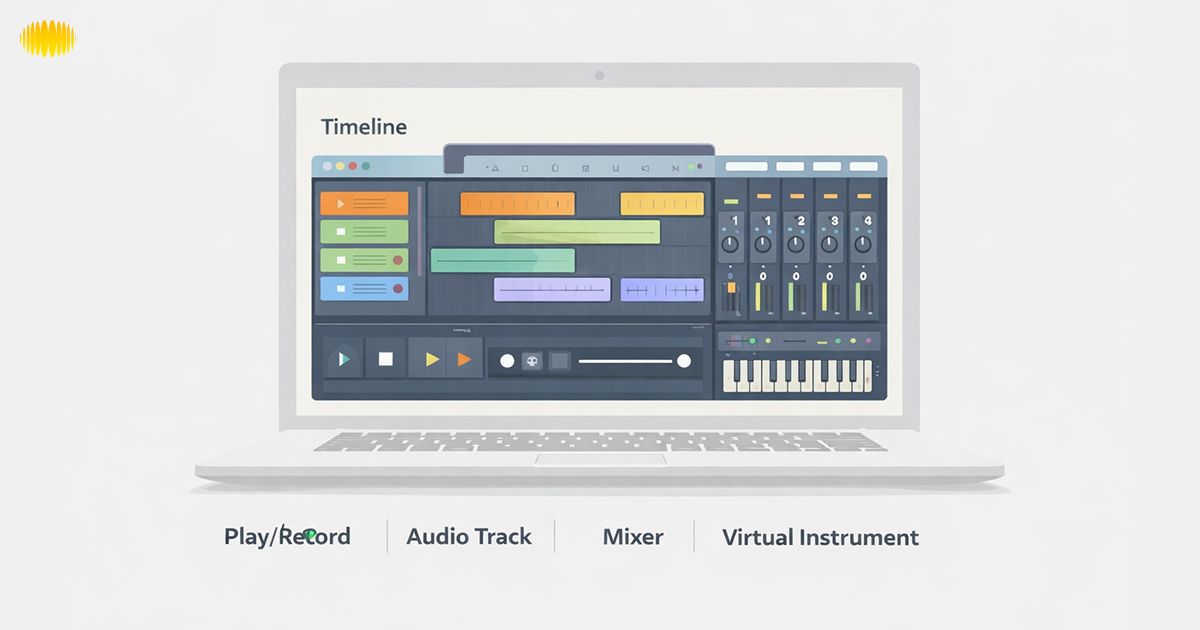
With the help of a digital audio workstation or DAW, music can be created on your computer or Android. You can record sound, edit tracks, apply effects, and use virtual instruments, all you need to make a song.
It’s a bit like a digital studio. Instead of expensive hardware equipment, everything happens inside your computer. Most modern beginner DAW software includes:
- Virtual instruments (piano, drums, synths)
- Built-in loops
- Recording tools
- Basic mixing controls
- Export options for YouTube, streaming, or podcasts
If you’ve ever used free music production software before, you’ve already interacted with a DAW in some form.
Also Read: Diss Song Generator: How to Create A Diss Track with AI
What Beginners Should Look For
When you’re looking for the best DAW for beginners, remember that it’s all about ease of use, not how advanced and full-featured it is. Here are the key factors.
1. Ease of Use
The layout should feel clean. Menus should make sense. You shouldn’t need hours just to record your first sound. The easiest DAW to learn includes:
- Drag-and-drop workflow
- Clear labeling
- Beginner-friendly templates
2. Built-In Sounds
This allows you to create full tracks without additional purchases. When starting, you probably don’t want to buy extra sound packs. A good DAW for beginners, free or paid, should include:
- Drum kits
- Basic synths
- Piano sounds
- Loop libraries
3. Free Version Availability
This reduces financial risk. Many beginners prefer not to spend money until they understand the basics. That’s reasonable.
Some DAWs offer:
- Fully free versions
- Long trial periods
- Limited but usable intro versions
4. Tutorials & Community
It’s easier to learn when you’re not alone. Official documentation matters. Strong beginner DAW software includes:
- Step-by-step tutorials
- YouTube learning communities
- Active forums
5. Platform Compatibility
The best DAW for Windows is not the best DAW for Mac. This is especially important in the American market, where there’s a large use of both Mac and Windows.
- If you’re on a Mac, there are different choices.
- If you’re on Windows, then certain software won’t work.
Also Read: AI Rap Lyrics Generators
Top Beginner-Friendly DAWs (2026)
The following are options suitable for those beginning. Please note that they are not ranked. Each option fulfills different needs.
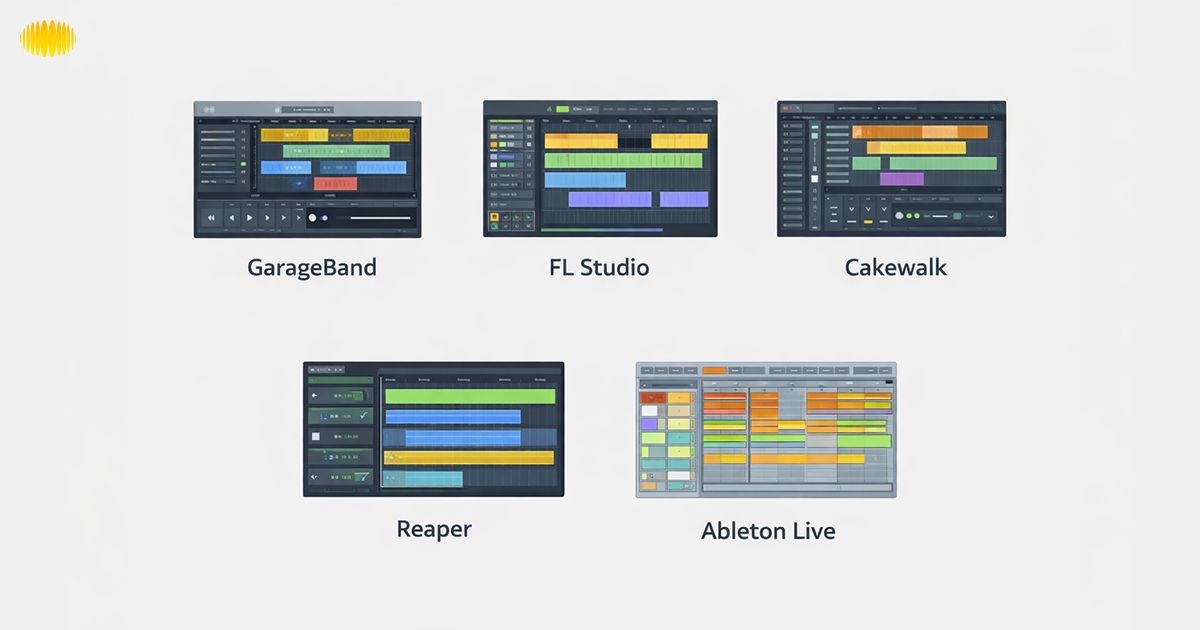
GarageBand (Best for Mac Beginners)
Price: Free
Operating System: Mac / iOS
Learning Curve: Low
Best For: Students, songwriters, Apple fans
If you have a Mac, chances are you’ll turn to GarageBand when you want to record music. It’s already on many Apple devices, and it doesn’t cost anything.
Why it’s great for beginners
- The interface is extremely straightforward.
- Drum loops, pre-recorded instruments provided as standard.
- Drag and drop makes it easy.
- High integration with macOS means that it is one more thing to learn.
When people ask “what’s the best beginner DAW for Mac?”, this is, in general, the safest response. When you change to Logic Pro later, the transformation feels natural. For a lot of beginners, though, just GarageBand is all that’s needed to make some YouTube background music, podcast intros, or even basic tracks. There is Apple’s own support documentation, which is easy to follow and written for beginners; this just adds to its usefulness.
FL Studio (Popular & Flexible)
Price: Starts around $99 (varies by edition)Operating System: Windows & MacLearning Curve: MediumIdeal For: Beat producers, hip-hop makers, and any electronic music maker
FL Studio is now one of the best beat making program for beginners in the USA. It’s especially strong for:
- Drum programming
- Loop-based production
- Electronic genres
Key beginner advantages:
- Pattern-based workflow
- Lifetime free updates
- Strong online tutorial ecosystem
While it may not be the easiest DAW to learn on an external level, many beginners have found it intuitive once they've grasped its pattern system. If creating beats is your primary aim and you're not planning to record a lot of live instruments, FL Studio might be more intuitive than classic recording-minded DAWs.
Cakewalk by BandLab (Best Free Windows Option)
Price: FreeOperating System: Windows onlyLearning Curve: MediumIdeal For: Windows users who want the most features absolutely free
But if you are a Windows user and in search of a free beginner-friendly DAW, Cakewalk is one of the best available options.
It offers:
- Unlimited audio tracks
- Advanced mixing tools
- Professional-grade effects
- Full recording capabilities
Unlike many free music production software tools, Cakewalk does not severely limit features. For beginners asking about the best DAW for Windows beginners who don’t want to pay upfront, this is a practical choice. It might appear to be a bit more complicated than GarageBand, but you get depth here without necessarily having to upgrade. Officially bandlab has tutorials and documentation, which is good for beginners.
Also Read: AI Song Lyrics Generator
Top Beginner-Friendly DAWs (2026)
We have already looked at GarageBand, FL Studio , and Cakewalk. So now, here are 2 other choices that often cross the mind when newcomers search for the best DAW for a beginner.
Reaper (Affordable & Powerful)
Price: $60 discounted license (fully functional free trial)Operating System: Windows & MacLearning Curve: MediumIdeal For: Budget-minded beginners who seek long-term growth
Reaper is one DAW that beginners often ignore, and it doesn’t deserve to be forgotten. It has a generous free trial and among the lowest-cost licenses compared with most of its rivals. Why beginners consider Reaper:
- Extremely lightweight (runs well on older systems)
- Deep customization options
- Strong online community
- Excellent official documentation
The interface might seem stark, at least initially. That said, lots of beginners figure they can play around with the very best structured DAW tutorial for newbies and soon enough. Reaper is intuitive to work with. For those looking for the best DAW under $100 that will help promote professional growth, Reaper is definitely in the running.
Ableton Live Intro (Creative Workflow Option)
Price: Intro version around $99 (varies by promotion)Operating System: Windows & MacLearning Curve: MediumIdeal For: Loop-based producers & Electronic/Hip-Hop songwriters
Ableton Live Intro is a more simplified version of Ableton’s full software. It’s famously known for its special Session View, where you can creatively trigger loops. Beginner advantages:
- Clean layout
- Strong official tutorial library
- Excellent for live performance and loop building
- Great for electronic and experimental music
For beat-making software for beginners who prefer experimentation over traditional timeline recording, Ableton can feel inspiring. It may take longer to get the hang of than GarageBand. That being said, Ableton's official help documentation and built-in tutorials are some of the best in the business.
Also Read: Best AI Music Generators In 2026
How to Choose the Right DAW for You
Before we can compare systems, it’s important to keep in mind that the top DAW for a beginner will also be the one that most closely parallels your operating system and creative goals.
Mac vs Windows vs Mobile
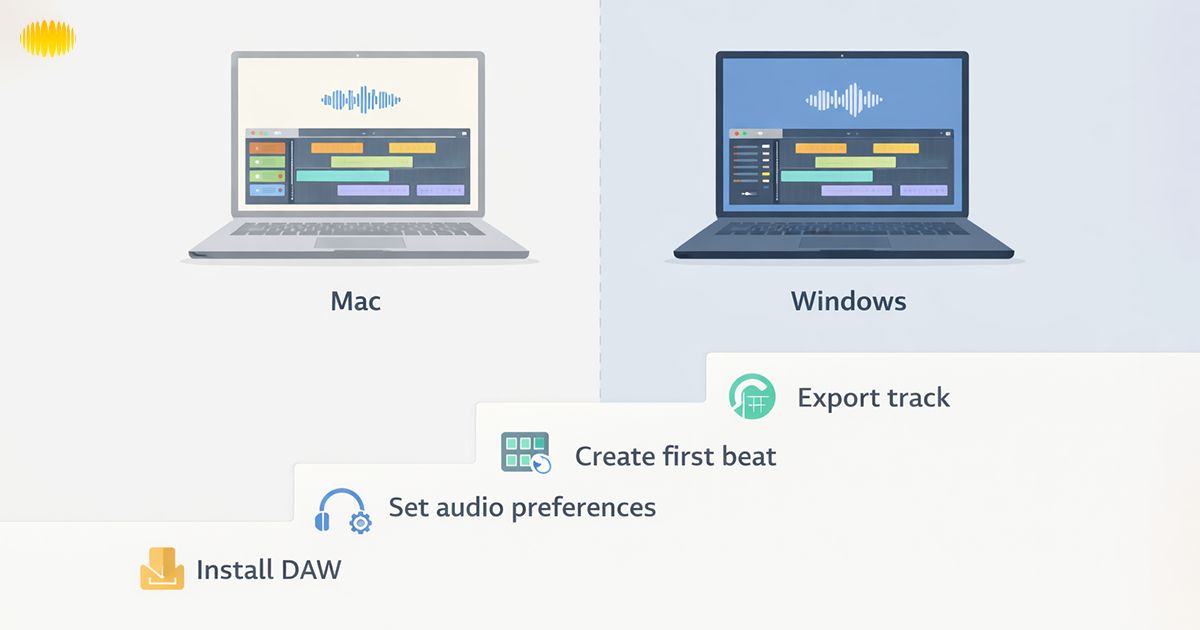
Your operating system immediately narrows your choices.
Mac Users
For a lot of American first-time creators, when they start out making things that appear on such streaming platforms, they do so rather commonly with a MacBook laptop, so GarageBand is just as default a place to enter as it is for the rest.
- GarageBand (free and ideal starting point)
- FL Studio
- Reaper
- Ableton Live
Windows Users
If you’re using a typical Windows laptop for school or home use, Cakewalk provides a full-featured environment without requiring an upfront cost.
- Cakewalk (fully free)
- FL Studio
- Reaper
- Ableton Live
Mobile Creators
- GarageBand (iOS)
- Some limited mobile DAWs
Mobile DAWs are useful for sketching ideas, but most serious production still happens on desktop systems.
Free vs Paid — When to Upgrade
You do not need to pay immediately.
Start free if:
- You’re unsure about long-term commitment
- You’re still learning basic concepts
- You only need simple beats or vocal recordings
Upgrade when:
- You hit track limits
- You need advanced plugins
- You’re exporting music commercially
- You want more instruments and effects
Many beginners worry about wasting money. The safest strategy is to test a free version first. Most DAWs offer trials or limited editions.
Learning Resources & Community Support
One less-considered aspect of your beginner DAW software is the size of the community of learners.
Ask yourself:
- Are there YouTube tutorials available?
- Does the company provide official guides?
- Are beginner questions answered in forums?
FL Studio and Ableton have massive tutorial ecosystems. GarageBand benefits from Apple’s official support documentation. Reaper has one of the most active user forums online. For those learning music production, community support is as important as software features.
System Requirements Checklist
Before installing any DAW, confirm:
- At least 8GB RAM recommended
- Modern processor (Intel i5 / Apple Silicon equivalent)
- 20GB+ free storage
- Stable internet for updates
- Audio interface (optional but helpful)
Most mid-range laptops in the U.S. can handle free music production software, but performance improves with better hardware.
Also Read: How To Choose The Right AI Music Generator
Beginner Quick-Start Checklist
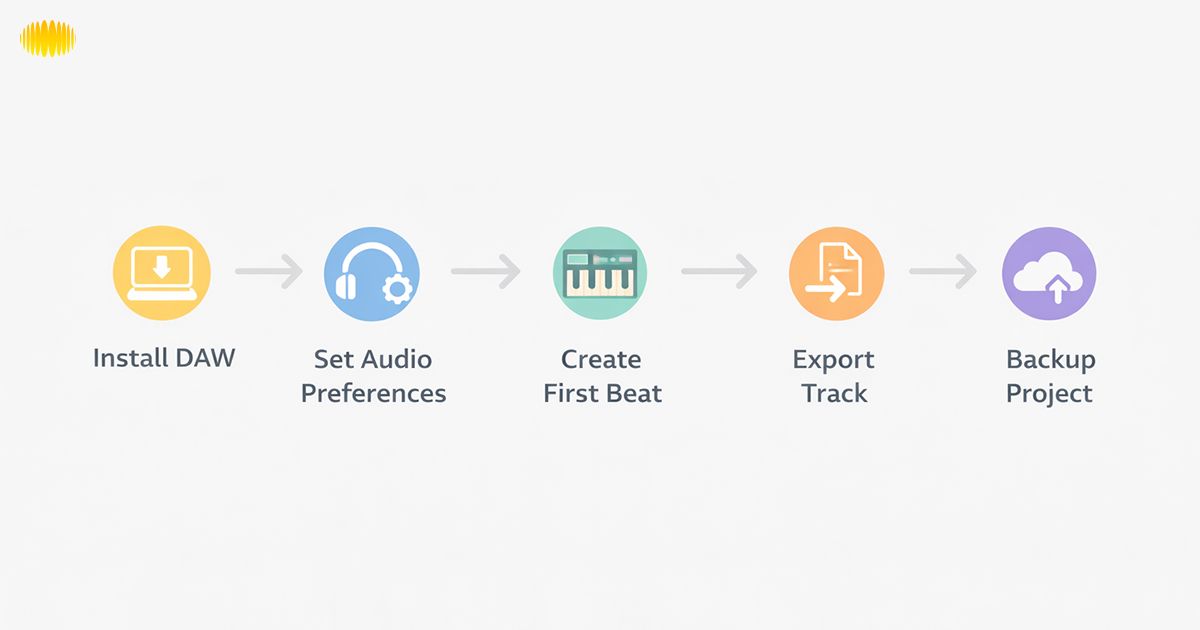
If you’re ready to get started today, here’s a straightforward action plan.
Minimum Gear Needed
- Laptop or desktop computer
- Headphones
- Optional: USB microphone
- Optional: Audio interface
You do not need expensive studio monitors to begin.
How to Install Your DAW
- Download from the official website only.
- Follow installation instructions.
- Set up audio settings inside preferences.
- Test with a short recording.
Always read the official setup documentation for best results.
First Project Idea
So, for instance, you might be a college student with a MacBook Air on which you record background music for YouTube vlogs, and you begin by laying down an introductory drum loop, layering over that a simple piano melody, and then exporting it as a 60-second musical work. Fast confidence can develop from such small projects.
Start simple:
- Create a basic drum loop
- Add a bass line
- Record a short vocal idea
Or record a spoken intro if you’re a YouTuber. Keep it small. The goal is learning workflow, not perfection.
Backing Up Projects
- Save locally
- Use cloud backup
- Label project versions clearly
This prevents frustration later.
Also Read: Meaningful Funeral Songs For The Older Generation
Comparison Table
| DAW | Operating System | Starting Price | Free Version | Learning Curve | Best For |
|---|---|---|---|---|---|
| GarageBand | Mac / iOS | Free | Yes | Low | Mac beginners |
| FL Studio | Windows / Mac | ~$99 | Trial | Medium | Beat makers |
| Cakewalk | Windows | Free | Yes | Medium | Windows beginners |
| Reaper | Windows / Mac | $60 | Extended trial | Medium | Budget long-term growth |
| Ableton Live Intro | Windows / Mac | ~$99 | Trial | Medium | Loop-based creators |
← Swipe horizontally to view full table →
Which DAW Should You Start With?
If you're still deciding, the best DAW for a beginner is usually the one that removes the most friction on day one.
If you’re on Mac → Start with GarageBand.
- It’s free, beginner-friendly, and enough for early projects.
If you’re on Windows and want free → Choose Cakewalk.
- It gives full functionality without an upfront cost.
If you want beat-making focus → Try FL Studio.
- Strong pattern workflow and a large tutorial base.
If you want affordable professional growth, → Go with Reaper.
- By now, you’ve seen that the best DAW for a beginner depends on your system, budget, and creative goals.
Also Read: AI Birthday Song Generator
Conclusion
Choosing the best DAW for a beginner isn’t about chasing advanced features. It’s about starting with something clear and manageable. Download the free version, follow the official tutorials, and complete one simple project. As your confidence grows, you can expand your setup if needed. Progress comes from consistent practice, not perfection.
The most important step is simply opening the software and starting. Choose a DAW that helps you create without worrying about complexity. Log in to the free version, watch the official process video, and finish a small first project. A method of progressing lies in practice, not perfection. All you have to do is start, and it’s downhill from there.
Frequently Asked Questions (FAQ’s)
1. What is a DAW?
A DAW, or Digital Audio Workstation, is software that lets you record, edit, mix, and produce music on your computer. It replaces traditional studio hardware with digital tools inside one program, making music production accessible from home.
2. What is the easiest DAW for beginners?
GarageBand is often considered the easiest option for Mac users because of its clean layout and built-in sounds. For Windows users, Cakewalk is a strong free starting point. The best choice depends on your system and the type of music you want to create.
3. Do I need to pay for a DAW?
No, you don’t need to pay right away. Many DAWs offer fully free versions or trial periods that allow you to learn the basics without spending money. Beginners often start with free software and upgrade later only if they need more advanced features, additional plugins, or commercial export options.
4. Is GarageBand enough for beginners?
Yes. Many creators start with GarageBand before moving to more advanced software. It includes built-in instruments, loops, recording tools, and solid editing features. For beginners, it’s more than enough to create quality music, podcasts, or YouTube tracks.
5. What’s the best free DAW for Windows?
Cakewalk by BandLab is widely considered the strongest fully free DAW for Windows beginners. It offers unlimited tracks and advanced features without requiring payment, which makes it a safe starting point for budget-conscious creators.
6. Can I switch DAWs later?
Yes, you can switch DAWs later. The core skills you learn, recording, editing, arranging, and mixing, transfer between platforms. Many producers begin with one system and move to another as their needs evolve.
7. Do I need special equipment?
No special equipment is required to begin. A computer and headphones are enough to start learning. A USB microphone or basic audio interface can improve recording quality, but they are optional for beginners.
8. How long does it take to learn a DAW?
Most beginners can understand the basic workflow within a few weeks of regular practice. Becoming comfortable and confident may take several months. Progress depends on consistency and how often you create projects.
9. Are online DAWs good for beginners?
While online DAWs may be sufficient for beginners to complete basic projects, they lack the depth and complexity of features found in dedicated DAW desktop software.
10. What’s the difference between FL Studio and Ableton for beginners?
FL Studio uses a pattern-based workflow that many beat makers find intuitive. Ableton focuses on loop triggering and creative arrangement. Both are beginner-friendly, but they suit slightly different production styles.
Also Read: Technical Challenges and Ethical Issues in AI Music Generation