Posted by Admin
February 11, 2026
Diss Song Generator: How to Create A Diss Track with AI
Creating a sharp diss track has always been about timing, punchlines, and confidence. Today, many creators use AI tools to break writer’s block and speed up the process. A diss song generator helps you draft bars, explore ideas, and test angles before you ever hit the mic.
In this guide, we will show how these tools actually work, what they are good at, and where they fall short. We will also cover editing, originality, and safety so you can turn rough AI output into something you would actually perform or share.
This is not about shortcuts that ruin your voice. It is about using AI as a co-writer while keeping control of your style, message, and boundaries.
What A Diss Song Generator Is
A diss song generator is an AI-powered tool that helps create diss-style lyrics or full tracks based on your input. You describe the tone, theme, and structure, and the system generates lines designed to sound like battle rap, roast humor, or parody. You may also see search results for a diss track generator.
That is not a different intent. Google treats both phrases as part of the same query cluster. Some users want lyrics only. Others expect beats or even vocals. The wording changes, but the expectation is the same: fast, usable diss content that still feels personal. The key thing to understand is that these tools generate drafts, not finished performances.
Lyrics-Only vs Full Song Generators
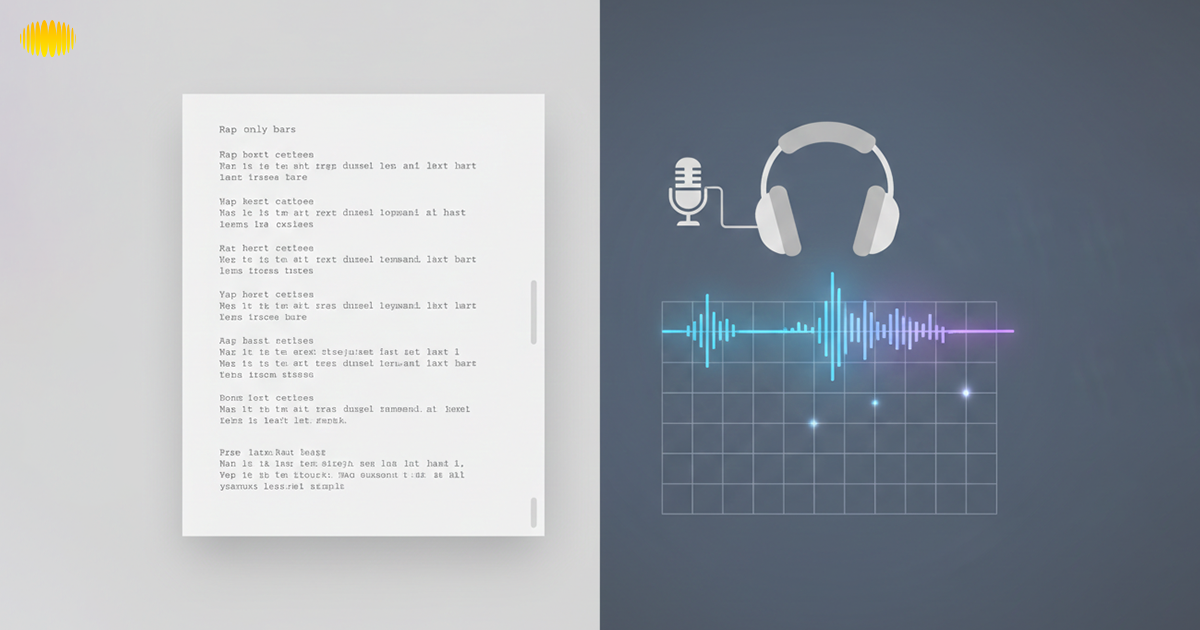
Lyrics-only generators focus on words. They help you shape punchlines, control rhyme patterns, and adjust tone with precision. Full song generators go further by adding beats and sometimes vocals. That makes them useful for quick demos. They offer less line-by-line control. If you want flexibility, start with lyrics. If you want a rough concept track, choose full song tools.
Lyrics-only tools
- Focus on bars, rhyme patterns, and punchlines
- Faster and easier to edit
- Lower legal risk since no voices are involved
- Best for battle practice, writing drills, or parody scripts
Full Song Generators (lyrics + beat + vocals)
- Produce a demo-style track
- Useful for previews or internal concepts
- Harder to customize line by line
- Higher legal and platform risk due to vocals
For most creators, lyrics-only tools are the safest starting point. Full tracks are better treated as rough demos, not final releases.
Recommended Read: AI Rap Lyrics Generators
How AI Generates Diss Lyrics
AI generates diss lyrics by analyzing patterns in language, rhyme, and rhythm from large text datasets. When you provide a prompt, the system predicts words that fit the requested tone, structure, and style.
It does not understand rivalry or emotion like a human, but it can imitate battle-rap patterns. Clear prompts help guide punchlines, bar length, and rhyme density, making the output more usable for creative editing and performance.
Recommended Read: How To Choose The Right AI Music Generator
Modern AI Text Generation (Plain English)
At a macro level, AI models are trained on enormous volumes of text. When you do give it a prompt, the model predicts what the next word will be, then that word, and so on.
It searches for patterns that fit your input, whether rhyme schemes, tone, or form. This is why prompts matter so much. Vague prompts lead to vague bars. Specific instructions guide the model toward tighter output.
Why Diss And Battle Rap Needs Rhyme And Rhythm Control
AI often defaults to safe, predictable rhyme pairs. Without guidance, the bars sound flat. The solution is not to reject AI, but to shape it. You do that through prompts and editing, which we will cover later. Diss tracks are not just insults. They rely on:
- Internal rhymes that hit quickly
- Cadence that fits a beat
- Punchlines that land at the end of a bar
Recommended Read: AI Song Lyrics Generator
Best Diss Song Generators (Comparison, Not Hype)
This table is an example of how to evaluate tools. The exact names matter less than the features. Rather than chasing hype, it helps to compare tools by what they actually let you control. Below is a neutral feature comparison that focuses on creator needs.
Feature Comparison Table
This comparison is feature-based. Replace the generator columns with real tools after shortlisting and hands-on testing.
| Feature | Lyrics-Only Generator | Full Song Generator | Hybrid Generator |
|---|---|---|---|
| Style controls | Tone, bar length, rhyme density | Limited lyric control | Moderate lyric + structure control |
| Free access | Often limited but usable | Usually very restricted | Trial-based |
| Export options | Text export only | Audio + lyrics | Lyrics + basic audio |
| Rights clarity | Easier to interpret | More complex due to vocals | Varies by output |
| Best use case | Writing practice, parody, battles | Demo concepts | Early creative drafts |
| Legal risk level | Lower | Higher (voices & audio) | Medium |
← Swipe horizontally to view full table →
Which Tool To Choose By Scenario
Funny Parody
- Choose a lyrics-only tool
- Focus on exaggeration and humor
- Avoid real personal details
Battle Practice
- Look for rhyme density controls
- Short bar counts work best
- Edit heavily before use
Full Demo Track
- Use full song tools for concepts
- Treat output as a draft
- Re-record vocals yourself if publishing
Some AI music platforms, including Sonygram, are built with creator workflows in mind rather than quick gimmicks. When evaluating any tool, the real focus should be on creative control, clarity around usage rights, and how well it fits into your overall writing and production process.
Recommended Read: Best AI Music Generators In 2026
Prompt Templates That Actually Work
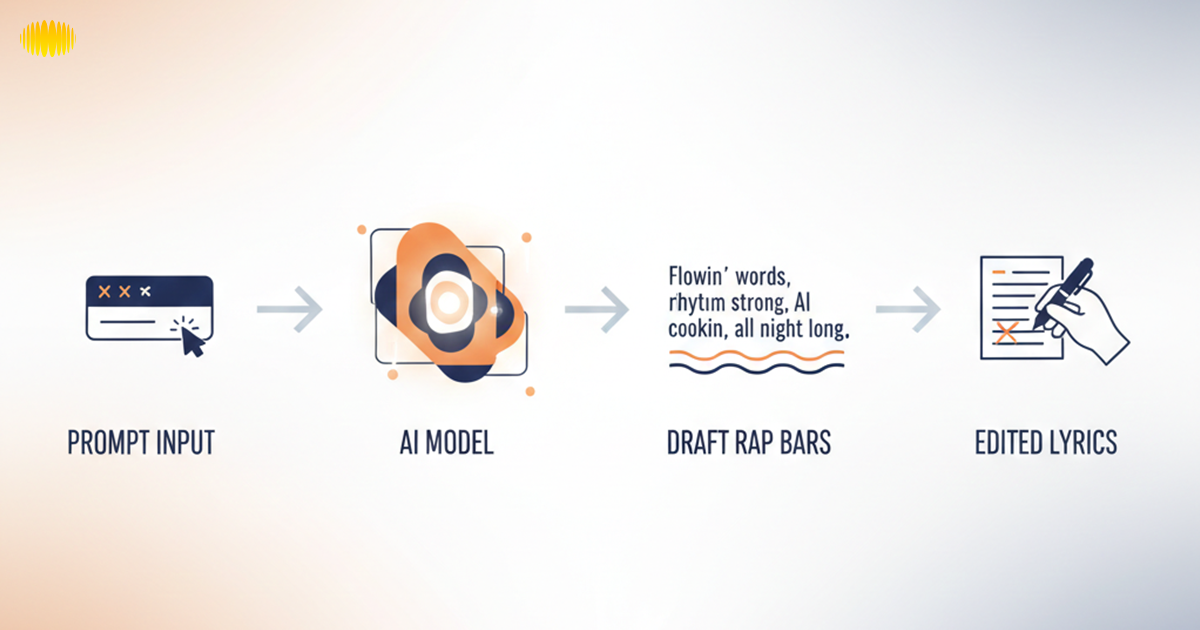
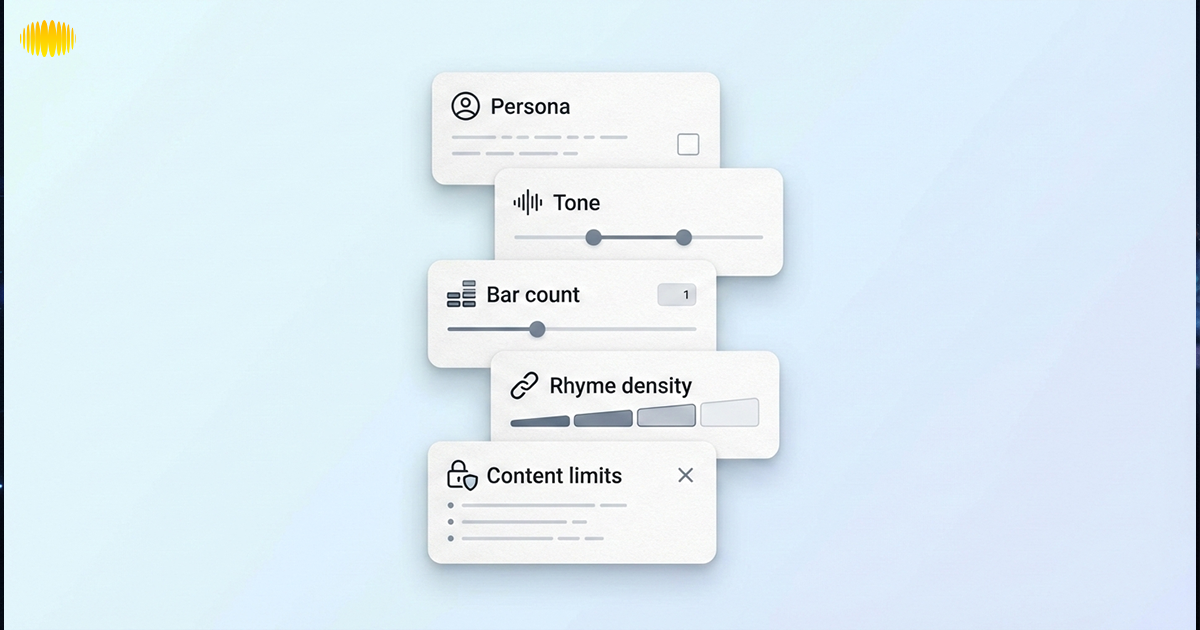
Strong prompts create strong bars. If you want better results from a diss song generator, you need structure, not guesswork. Define the persona. Set the tone. Choose the bar count and rhyme density.
Add clear limits on language and targets. The more specific your instructions, the sharper the output becomes. Think of prompts as your creative blueprint, not just a quick request.
The Diss Prompt Stack
This stack alone can double the quality of output. Use this structure to guide the model:
- Persona: Who is speaking
- Fictional target: Keep it non-real
- Tone: Funny, cold, competitive
- Bar count: 8, 16, or 32 bars
- Rhyme density: Low, medium, high
- Forbidden phrases: List clichés to avoid
- Content limits: No threats, no slurs
Recommended Read: AI Songwriting: How to Write Songs Using AI
Copy/Paste Prompt Packs
Copy/paste prompt packs save time and reduce guesswork when using a diss song generator. Instead of writing instructions from scratch every time, you start with a structured template. Each prompt clearly defines persona, tone, bar count, and creative limits.
This keeps the output focused and more consistent. You can adjust small details while keeping the core structure intact. Over time, strong prompt packs become part of your personal writing toolkit.
Fictional Rival
Write 16 bars from a confident rapper roasting a fictional rival. Use sharp wordplay, internal rhymes, and competitive energy. Avoid threats or real names.
Self-roast
Write a humorous self-diss with clever punchlines. Keep it light, self-aware, and playful. No negativity toward real people.
Brand Parody
Write parody diss lyrics about an imaginary brand rivalry. Keep it satirical and exaggerated, with clean language.
Sports Rivalry
Write battle-style bars between two fictional teams. Focus on performance jokes, not players or real individuals.
Editing Workflow (Make AI Bars Performable)
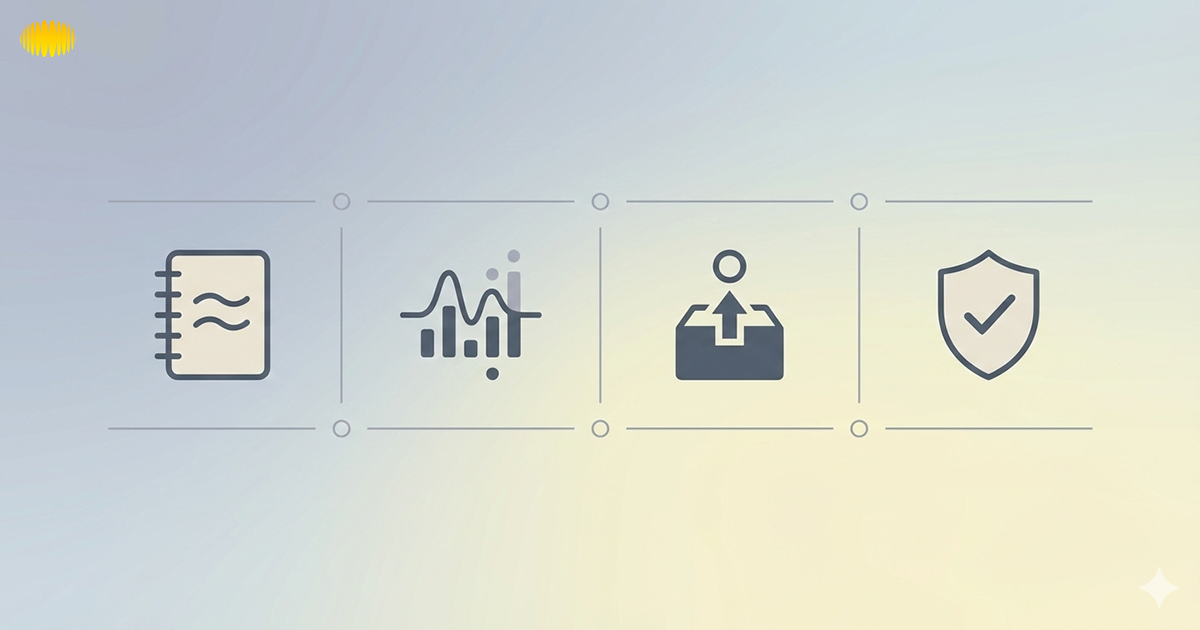
Editing is where AI bars become yours. Start by reading every line out loud. Listen for awkward phrasing and weak punchlines. Cut filler words. Tighten the rhythm so each bar fits naturally on a beat. Add internal rhymes to increase impact.
Adjust word choice to match your voice and delivery style. Finally, rewrite at least a few lines completely. The goal is not to polish AI output, but to reshape it into something you would confidently perform.
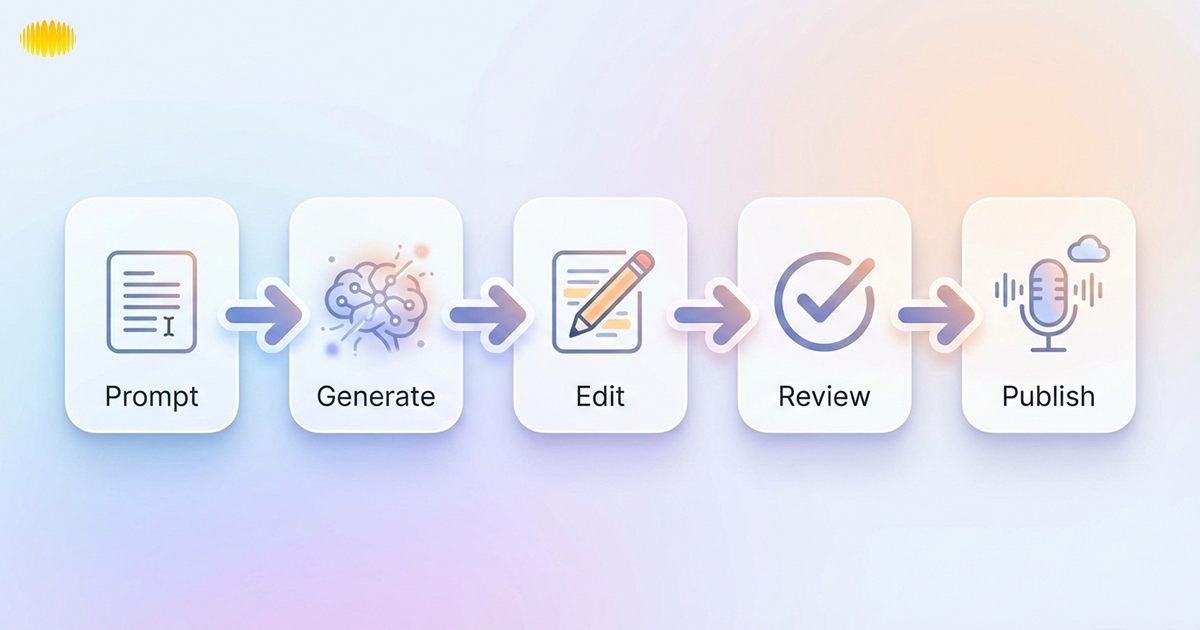
Workflow:
Prompt → Generate → Edit → Review → Publish
Cadence And Breath Marks
Read the bars out loud. Mark where you need to breathe. Shorten lines that feel crowded. Diss tracks sound better when the flow feels effortless.
Internal Rhymes And Punchline Density
Replace simple end rhymes with internal ones. Tighten the last word of each bar. If a line does not hit, cut it.
Originality And Similarity Safety
Change phrasing, restructure lines, and add personal rhythm. This reduces the risk of sounding like existing lyrics and helps keep the work original.
Legal And Safety Checklist Before Publishing
Before you share anything publicly, pause here. Diss content can be funny, competitive, or satirical, but publishing changes the rules. This section clears up the most common confusion creators have around rights, ownership, and safety.
License vs Copyrightability
This is where many creators get confused, especially in the US context. Permission to use AI-generated content does not equal copyright ownership. When a tool allows “royalty-free” use, it usually means you are permitted to use the output under its license terms. It does not automatically mean the lyrics are protected as your original work.
To strengthen ownership claims, treat AI output as a draft, not a finished product. Substantial human edits matter. This includes rewriting lines, adjusting structure, refining punchlines, and shaping delivery.
Documenting these creative decisions helps demonstrate meaningful human authorship. That is why a diss song generator should be viewed as a writing assistant, not a substitute for original creation.
Voice And Likeness Risks
If you plan to publish, the safest route is recording your own voice or working with a collaborator. Vocals add personality, but they also increase legal exposure. Lyrics alone carry fewer risks than audio with vocals. Once AI-generated voices enter the picture, new issues appear:
- Voices can resemble real artists
- Vocal style can be interpreted as imitation
- Platforms may flag content more aggressively
Safety Rules Every Creator Should Follow
Diss tracks thrive on creativity, not harm. Staying inside these lines keeps the content fun and publishable. This section is for general information only and is not legal advice. These boundaries protect you and your audience:
- Do not target real private individuals
- Do not include personal data
- Do not reference protected classes with hate language
- Keep rivals fictional, abstract, or self-referential
Recommended Read: Technical Challenges and Ethical Issues in AI Music Generation
Monetization Reality Check
Many creators ask the same question: Can this be monetized safely? The honest answer is that monetization depends on platform rules, not tool claims. Platforms evaluate:
- Content intent
- Harassment or abuse signals
- Copyright complaints
- Audience reporting
Monetization is possible, but it is never guaranteed. Even if a tool allows commercial use, a platform can still limit reach or ads. This is not unique to AI-generated diss content, but diss formats face extra scrutiny due to tone.
The Safest Approach Is To:
- Use parody and humor
- Avoid naming real people
- Add clear, creative framing
Reducing Risk Without Killing Creativity
Creators who treat AI drafts as raw material tend to avoid problems better than those who publish straight output. You do not need to dull your bars to stay safe. You need structure. Practical ways to lower risk:
- Use fictional scenarios
- Focus on skills, not identity
- Keep attacks clever, not personal
- Rewrite AI output in your own voice
Common Mistakes Creators Make
Fixing these issues early saves time and stress later. Even experienced writers slip here.
- Publishing AI output without editing
- Trusting “royalty-free” labels blindly
- Using real names for shock value
- Overusing generic punchlines
Final Thoughts
AI has changed how creators think about writing, though it hasn't taken away creativity. A diss song generator might get the idea process started, break through blocks, and even quicken the drafting process, but the outcome is still a decision that can only be made by a human.
The best-producing creators treat AI like a partner, and not a boss. They issue prompts with precision, edit with intention, and take care to publish. If you retain control over the voice, the originality, and the moral, then you can use AI to boost your process instead of being held back.
Frequently Asked Questions (FAQ’s)
1. What Is A Diss Song Generator?
A diss song generator is an AI-based tool that helps creators draft diss-style lyrics or song ideas. It works from prompts such as tone, style, and bar count. Most creators use it to overcome writer’s block and develop concepts, not as a final publishing solution.
2. A Diss Song Generator Is Another Name For A Diss Track Generator?
Both terms usually refer to the same class of tools. Some generate lyrics only; others include musical accompaniment. The search engine treats them as if they are related queries; the differences are mainly in the form of output rather than anything else.
3. Are AI-generated diss lyrics copyrighted?
AI-generated lyrics can qualify for copyright protection when a creator adds substantial human creativity. This includes rewriting lines, restructuring verses, and shaping performance choices. The more original input you provide, the stronger the claim. AI output alone should not be treated as final authorship.
4. Can I Make Money From an AI-generated Diss Song?
Monetization depends on platform rules, not the tool itself. Even if commercial use is permitted, platforms may limit ads due to moderation policies or content tone. Parody, fictional targets, and clear creative framing can reduce risk, but monetization approval is never guaranteed.
5. Are "royalty-free" claims a safe bet?
No. "Royalty-free" refers to the licensing terms, not who owns it or what platform it goes on. It doesn’t stop copyright disputes, demonetization, or moderation actions, or content moderation. Creators should always check the terms of use and guidelines of any platform before uploading.
6. How does AI diss Lyrics Sound Less Generic?
Provide detailed prompts. Avoid clichés and make radical changes. Enhance internal rhymes, sharpen rhythm, and adapt punch lines accordingly. AI output becomes much better when treated as a draft rather than a finished verse.
7. How do I avoid crossing the line into harassment when using a diss song generator?
To stay within ethical boundaries, keep all targets fictional or abstract. Avoid personal data, real private individuals, and any language related to protected classes. Focus on clever wordplay and performance skill rather than personal attacks. Clear boundaries help keep diss content creative, entertaining, and platform-safe.
8. Should I Use A Full Song Generator?
For most creators, Lyrics-only generators will give you more control and save you money. Full song generators are useful as demos but often need more editing because of singing, copyright law, and platform desensitization.